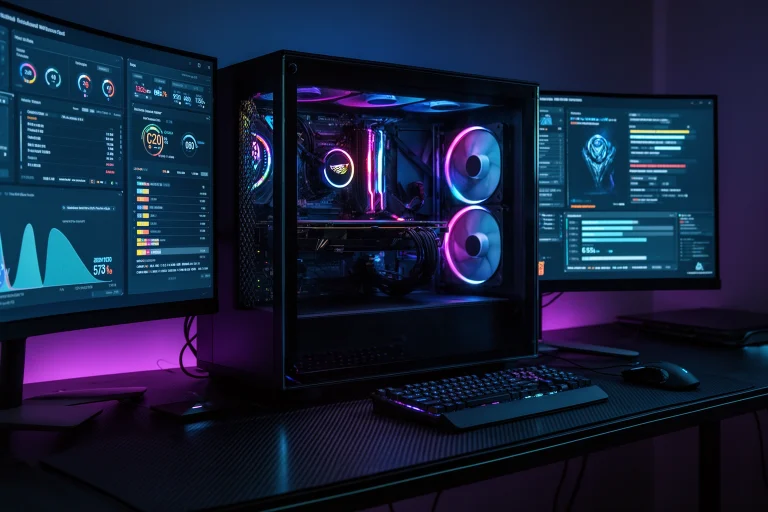
Newest gaming gear Scookiegear listings cover mice, mechanical keyboards, headsets, mousepads, chairs, and monitors, all pitched around the same promise: shave milliseconds off your reaction time and stay comfortable through long sessions. Before spending on any of it, the specs that actually move the needle are worth understanding on their own terms, separate from any single brand’s marketing copy.
This guide breaks down what each spec actually does, which numbers matter for which game types, and what to verify directly on a brand’s current spec sheet before buying, since exact figures like firmware versions, click ratings, and release windows change often and should always be checked at the source rather than taken from a review written months earlier.

What Actually Makes a Gaming Mouse Fast
Polling rate and sensor type determine how quickly a mouse reports movement to your PC, and 1000Hz is the current baseline for competitive play. A mouse polling at 1000Hz reports its position once every millisecond. Anything slower introduces detectable lag between hand movement and cursor response in fast-paced shooters.
DPI Matters Less Than Marketing Suggests
DPI controls how far a cursor moves per inch of physical mouse movement. Most competitive FPS players run somewhere between 400 and 1600 DPI regardless of how high a mouse’s maximum DPI is rated. A mouse advertising 30,000 DPI is not meaningfully faster for aim than one rated at 16,000. What matters more is having accurate tracking at the DPI you actually use, plus the ability to adjust it on the fly between games.
Optical Versus Mechanical Switches
Optical switches use a light beam instead of physical metal contact to register a click, which removes the debounce delay that can cause phantom double-clicks as mechanical switches wear down over time. This is a real, well-documented advantage, and it is the main reason optical switches have become standard on higher-end competitive mice across most major brands, not just any single one.
Treat any mouse missing both as outdated regardless of price point.
Mechanical and Magnetic Keyboard Switches Explained
Magnetic Hall-effect switches let players manually set the actuation point, meaning how far a key needs to travel before it registers, which standard mechanical switches cannot do. Lowering actuation to around 0.4mm gives hair-trigger response for fast inputs, while raising it toward 2 to 3mm reduces accidental keypresses during regular typing.
Why Adjustable Actuation Matters for Different Genres
Fighting games and MOBAs benefit from ultra-low actuation because inputs need to register as fast as physically possible. Long writing or general use sessions benefit from higher actuation to avoid mistyped keys. A keyboard that lets you switch between these on the same physical board, sometimes per key, is a genuine functional upgrade over fixed-actuation mechanical switches.
Polling Rate on Keyboards
Keyboard polling rate works the same way as mouse polling. Standard gaming keyboards report at 1000Hz, translating to a 1 millisecond response window. Some newer boards advertise 8000Hz polling, which shortens that window to 0.125 milliseconds. Whether that difference is perceptible varies by player and game, and claims at this level should be checked against independent third-party testing rather than a single brand’s own benchmark numbers before treating it as a deciding factor.

Headset Audio: What Actually Helps You Win
Directional audio accuracy, not raw volume or bass, is what lets players identify footsteps and gunfire location in competitive shooters. A headset with tuned mids and a wide, accurate soundstage will outperform a bass-heavy consumer headset for competitive play, even if the bass-heavy option sounds more impressive for music or movies.
Cross-Platform Compatibility
Headsets that work across PC, PlayStation, and Switch without a separate adapter save real hassle for players who switch platforms often. Check the connection type carefully: a USB dongle solution behaves differently from a straight 3.5mm analog connection, and not every “cross-platform” headset supports every platform’s proprietary audio features equally.
Microphone Quality Is Not an Afterthought
Noise-isolating microphones matter as much as speaker quality for anyone playing in a shared space or streaming. A mic that picks up keyboard clatter or background noise undermines team communication regardless of how good the headphone side of the unit sounds.
Mousepads and Desk Accessories: Small Upgrades With Real Impact
Surface material and pad size affect tracking consistency far more than most players expect, especially for low-sensitivity players who make large physical mouse movements. A pad too small for your sensitivity setting forces awkward mouse lifts mid-swing, which directly costs accuracy.
Cloth Versus Hard Surface Pads
Cloth pads generally offer more stopping control, useful for precise tracking and flick shots. Hard surface pads offer faster, more consistent glide with less friction, generally preferred by players who favor quick, low-friction movements over controlled stops. Neither is objectively better. The right choice depends on sensitivity and playstyle.
Cable Management and Monitor Positioning
A monitor positioned below eye level forces a downward head tilt that causes neck strain over long sessions, which in turn affects focus and reaction consistency late in a session. A basic monitor arm or stand that brings the screen to eye level is a low-cost fix with a real, measurable comfort payoff over multi-hour sessions.

How to Evaluate Any New Gaming Gear Release
Check independent reviews and third-party benchmark data before trusting a brand’s own performance claims, especially for numbers like click ratings, polling rate, and firmware-based feature additions. A brand’s own site is a marketing document first. Specific performance claims deserve a second source before they factor into a purchase decision.
Watch for Vague Superlatives
Phrases like “next-level performance,” “professional-grade,” or “engineered for champions” carry no verifiable technical meaning. Look past them to the actual spec sheet: polling rate, actuation range, DPI adjustability, connection type, and warranty terms are the details that determine whether a product is genuinely different from what you already own.
Pre-Order and Limited Release Claims Deserve Scrutiny
Limited unit counts and countdown-style pre-order pages are common marketing tactics designed to create urgency. Before pre-ordering any new gaming hardware, confirm the release date and stock claims through the brand’s official channels close to the actual date, since early marketing pages sometimes shift timelines without much visibility.
| Gear Type | Spec That Matters Most | Common Marketing Distraction |
|---|---|---|
| Mouse | Polling rate, sensor accuracy | Max DPI number |
| Keyboard | Actuation adjustability | RGB zone count |
| Headset | Directional audio accuracy | Bass intensity |
| Mousepad | Surface material match to playstyle | Pad thickness claims |
Check These Related Articles
- Latest Category MeltingTopGames: How It Actually Works
- How To Get Salougatar In Blox Fruits 2023: Truth Explained
- Ck2 How Tos Gaming Guides Benjamin Pearce: What Works
- Under Growth Games UggControMan Controller: Full Review
- The Meshgamecom: Platform Guide, Reviews and What’s Inside
Checking marketing claims against real specs applies just as much to hardware as it does to in-game content. The PlayBattleSquare usage breakdown covers a similar habit of verifying a platform’s actual functionality before relying on it, rather than taking promotional copy at face value.
Building a setup that genuinely improves performance comes down to matching real specs to your actual playstyle, not chasing the most dramatic-sounding number on a product page.
Frequently Asked Questions
What does polling rate mean for gaming gear?
Polling rate determines how often a device reports its position to your PC. A 1000Hz polling rate reports every millisecond, which is the current baseline for competitive gaming mice and keyboards.
Does higher DPI make a gaming mouse better?
Not significantly. Most competitive players use between 400 and 1600 DPI regardless of a mouse’s maximum rating. Adjustable DPI matters more than the maximum number.
Why do optical switches matter on a gaming mouse?
Optical switches use a light beam instead of physical contact, which eliminates debounce delay and reduces the phantom double-click issue that develops in mechanical switches over time.
What is a magnetic switch keyboard?
Hall-effect magnetic switches let you manually adjust how far a key must travel before registering, letting one keyboard suit both fast gaming inputs and accurate typing.
How do I verify gaming gear performance claims before buying?
Check independent, third-party reviews and benchmark tests rather than relying only on a brand’s own marketing page, especially for specific numbers like click ratings or polling rate.
What headset spec matters most for competitive gaming?
Directional audio accuracy matters most for competitive play, since it helps you locate footsteps and gunfire. Bass intensity affects music and movie listening more than competitive performance.